When to use
The Chat component can be used in scenarios such as regular conversations or AI conversations.
The rendering of the conversation content is based on the MarkdownRender component, which supports Markdown and MDX (Note: The default format mode of MarkdownRender in Chat is md. If you need to use MDX format, you can set it through the markdownRenderProps API). It allows for common rich text features such as images, tables, links, bold text, code blocks, and more. More complex and customized document writing and display requirements can be achieved using JSX. Register the languages of code blocks with CodeHighlight.register of CodeHighlight to highlight them.
Demos
How to import
import { Chat } from '@fibrous/semi-ai-react';Basic usage
By setting chats, onChatsChange, and onMessageSend, you can achieve basic conversation display and interaction.
Attachments can be uploaded by clicking the upload button, pasting into the input box, or dragging files into the Chat area. Set the upload parameters through uploadProps. For details, refer to Upload.
The prompt text of the upload button can be set through uploadTipProps. For details, please refer to Tooltip.
Dialogue is a scene involving multiple parties and multiple rounds of interaction. Role information (including name, avatar, etc.) can be passed in through roleConfig, and the specific parameter details are RoleConfig.
Use the align attribute to set the layout of the dialog, supporting left and right layout (leftRight, default) and left alignment (leftAlign).

Hello, I'm your AI assistant.

给一个 Semi Design 的 Button 组件的使用示例
以下是一个 Semi 代码的使用示例:
jsx
Code
import { useState, useCallback } from 'react';
import { Chat, type ChatMessage as Message, type ChatProps } from '@fibrous/semi-ai-react';
import { Radio, RadioGroup, type RadioChangeEvent } from '@fibrous/semi-ui-react';

const defaultMessage: Message[] = [
    {
        role: 'system',
        id: '1',
        createAt: 1715676751919,
        content: "Hello, I'm your AI assistant.",
    },
    {
        role: 'user',
        id: '2',
        createAt: 1715676751919,
        content: '给一个 Semi Design 的 Button 组件的使用示例',
    },
    {
        role: 'assistant',
        id: '3',
        createAt: 1715676751919,
        content: "以下是一个 Semi 代码的使用示例:\n```jsx \nimport React from 'react';\nimport { Button } from '@fibrous/semi-ui-react';\n\nconst MyComponent = () => {\n  return (\n    <Button>Click me</Button>\n );\n};\nexport default MyComponent;\n```\n",
    },
];

const roleInfo = {
    user: {
        name: 'User',
        avatar: '/assets/docs-icon.png',
    },
    assistant: {
        name: 'Assistant',
        avatar: '/assets/placeholder/logo.svg',
    },
    system: {
        name: 'System',
        avatar: '/assets/placeholder/logo.svg',
    },
};

const commonOuterStyle = {
    border: '1px solid var(--semi-color-border)',
    borderRadius: '16px',
    margin: '8px 16px',
    height: 550,
};

let id = 0;
function getId() {
    return `id-${id++}`;
}

const uploadProps = { action: 'https://api.semi.design/upload' };
const uploadTipProps = { content: '自定义上传按钮提示信息' };

export default function ChatDemo() {
    const [message, setMessage] = useState(defaultMessage);
    const [mode, setMode] = useState<NonNullable<ChatProps['mode']>>('bubble');
    const [align, setAlign] = useState<NonNullable<ChatProps['align']>>('leftRight');

    const onAlignChange = useCallback((e: RadioChangeEvent) => {
        setAlign(e.target.value);
    }, []);

    const onModeChange = useCallback((e: RadioChangeEvent) => {
        setMode(e.target.value);
    }, []);

    const onMessageSend = useCallback(() => {
        const newAssistantMessage: Message = {
            role: 'assistant',
            id: getId(),
            createAt: Date.now(),
            content: '这是一条 mock 回复信息',
        };
        setTimeout(() => {
            setMessage((message) => [...message, newAssistantMessage]);
        }, 200);
    }, []);

    const onChatsChange = useCallback((chats: Message[]) => {
        setMessage(chats);
    }, []);

    const onMessageReset = useCallback(() => {
        setTimeout(() => {
            setMessage((message) => {
                const lastMessage = message[message.length - 1];
                const newLastMessage: Message = {
                    ...lastMessage,
                    status: 'complete',
                    content: 'This is a mock reset message.',
                };
                return [...message.slice(0, -1), newLastMessage];
            });
        }, 200);
    }, []);

    return (
        <>
            <span style={{ display: 'flex', flexDirection: 'column', rowGap: '8px' }}>
                <span style={{ display: 'flex', alignItems: 'center', columnGap: '10px' }}>
                    模式
                    <RadioGroup onChange={onModeChange} value={mode} type="button">
                        <Radio value="bubble">气泡</Radio>
                        <Radio value="noBubble">非气泡</Radio>
                        <Radio value="userBubble">用户会话气泡</Radio>
                    </RadioGroup>
                </span>
                <span style={{ display: 'flex', alignItems: 'center', columnGap: '10px' }}>
                    会话布局方式
                    <RadioGroup onChange={onAlignChange} value={align} type="button">
                        <Radio value="leftRight">左右分布</Radio>
                        <Radio value="leftAlign">左对齐</Radio>
                    </RadioGroup>
                </span>
            </span>
            <Chat key={align + mode} align={align} mode={mode} uploadProps={uploadProps} style={commonOuterStyle} chats={message} roleConfig={roleInfo} onChatsChange={onChatsChange} onMessageSend={onMessageSend} onMessageReset={onMessageReset} uploadTipProps={uploadTipProps} />
        </>
    );
}
Chat status
The chats type is Message[], where each Message contains various information about the conversation, such as role, content, attachment, status, unique identifier (id), creation time (createAt), and more. For detailed information, please refer to Message. The conversation style may vary depending on the different status values.
请求成功
请求错误
Code
import { useState, useCallback } from 'react';
import { Chat, type ChatMessage as Message } from '@fibrous/semi-ai-react';

const defaultMessage: Message[] = [
    {
        role: 'assistant',
        id: '1',
        createAt: 1715676751919,
        content: '请求成功',
    },
    {
        id: 'loading',
        role: 'assistant',
        status: 'loading',
    },
    {
        role: 'assistant',
        id: 'error',
        content: '请求错误',
        status: 'error',
    },
];

const roleInfo = {
    user: {
        name: 'User',
        avatar: '/assets/docs-icon.png',
    },
    assistant: {
        name: 'Assistant',
        avatar: '/assets/placeholder/logo.svg',
    },
    system: {
        name: 'System',
        avatar: '/assets/placeholder/logo.svg',
    },
};

const commonOuterStyle = {
    border: '1px solid var(--semi-color-border)',
    borderRadius: '16px',
    height: 400,
};

let id = 0;
function getId() {
    return `id-${id++}`;
}
const uploadProps = { action: 'https://api.semi.design/upload' };

export default function ChatDemo() {
    const [message, setMessage] = useState(defaultMessage);

    const onMessageSend = useCallback(() => {
        const newAssistantMessage: Message = {
            role: 'assistant',
            id: getId(),
            createAt: Date.now(),
            content: '这是一条 mock 回复信息',
        };
        setTimeout(() => {
            setMessage((message) => [...message, newAssistantMessage]);
        }, 200);
    }, []);

    const onChatsChange = useCallback((chats: Message[]) => {
        setMessage(chats);
    }, []);

    return <Chat style={commonOuterStyle} chats={message} roleConfig={roleInfo} onChatsChange={onChatsChange} onMessageSend={onMessageSend} uploadProps={uploadProps} />;
}
Dynamic update chats
For the case of receiving Server-Sent Event data from the backend, the obtained data can be used to update the chats, and the conversation content will be updated in real-time.
The showStopGenerate parameter can be used to determine whether to display the stop generation button, with a default value of false. The logic for stopping the generation can be handled in the onStopGenerator function.
Hello, I'm your AI assistant.
介绍一下 Semi design
Semi Design 是由抖音前端团队和MED产品设计团队设计、开发并维护的设计系统。作为一个全面、易用、优质的现代应用UI解决方案,Semi Design从字节跳动各业务线的复杂场景中提炼而来,目前已经支撑了近千个平台产品,服务了内外部超过10万用户[1]。
Semi Design的特点包括:
- 设计简洁、现代化。
- 提供主题方案,可深度样式定制。
- 提供明暗色两套模式,切换方便。
- 国际化,覆盖了简/繁体中文、英语、日语、韩语、葡萄牙语等20+种语言,日期时间组件提供全球时区支持,全部组件可自动适配阿拉伯文RTL布局。
- 采用 Foundation 和 Adapter 跨框架技术方案,方便扩展。
Learn more:
Code
import { useState, useCallback, useEffect, useRef } from 'react';
import { Chat, type ChatMessage as Message } from '@fibrous/semi-ai-react';

const defaultMessage: Message[] = [
    {
        role: 'system',
        id: '1',
        createAt: 1715676751919,
        content: "Hello, I'm your AI assistant.",
    },
    {
        role: 'user',
        id: '2',
        createAt: 1715676751919,
        content: '介绍一下 Semi design',
    },
    {
        role: 'assistant',
        id: '3',
        createAt: 1715676751919,
        content: `
Semi Design 是由抖音前端团队和MED产品设计团队设计、开发并维护的设计系统。作为一个全面、易用、优质的现代应用UI解决方案,Semi Design从字节跳动各业务线的复杂场景中提炼而来,目前已经支撑了近千个平台产品,服务了内外部超过10万用户[[1]](https://semi.design/zh-CN/start/introduction)。

Semi Design的特点包括:

1. 设计简洁、现代化。
2. 提供主题方案,可深度样式定制。
3. 提供明暗色两套模式,切换方便。
4. 国际化,覆盖了简/繁体中文、英语、日语、韩语、葡萄牙语等20+种语言,日期时间组件提供全球时区支持,全部组件可自动适配阿拉伯文RTL布局。
5. 采用 Foundation 和 Adapter 跨框架技术方案,方便扩展。

---
Learn more:
1. [Introduction 介绍 - Semi Design](https://semi.design/zh-CN/start/introduction)
2. [Getting Started 快速开始 - Semi Design](https://semi.design/zh-CN/start/getting-started)
3. [Semi D2C 设计稿转代码的演进之路 - 知乎](https://zhuanlan.zhihu.com/p/667189184)
`,
    },
];

const roleInfo = {
    user: {
        name: 'User',
        avatar: '/assets/docs-icon.png',
    },
    assistant: {
        name: 'Assistant',
        avatar: '/assets/placeholder/logo.svg',
    },
    system: {
        name: 'System',
        avatar: '/assets/placeholder/logo.svg',
    },
};

const commonOuterStyle = {
    border: '1px solid var(--semi-color-border)',
    borderRadius: '16px',
    height: 600,
};

let id = 0;
function getId() {
    return `id-${id++}`;
}
const uploadProps = { action: 'https://api.semi.design/upload' };

export default function ChatDemo() {
    const [message, setMessage] = useState(defaultMessage);
    const intervalId = useRef<ReturnType<typeof setInterval> | null>(null);

    useEffect(
        () => () => {
            if (intervalId.current) clearInterval(intervalId.current);
        },
        []
    );

    const onChatsChange = useCallback((chats: Message[]) => {
        setMessage(chats);
    }, []);

    const generateMockResponse = useCallback((content: string) => {
        const id = setInterval(() => {
            setMessage((message) => {
                const lastMessage = message[message.length - 1];
                let newMessage: Message = { ...lastMessage };
                if (lastMessage.status === 'loading') {
                    newMessage = {
                        ...newMessage,
                        content: `mock Response for ${content} \n`,
                        status: 'incomplete',
                    };
                } else if (lastMessage.status === 'incomplete') {
                    if ((lastMessage.content?.length ?? 0) > 200) {
                        clearInterval(id);
                        intervalId.current = null;
                        newMessage = {
                            ...newMessage,
                            content: `${lastMessage.content} mock stream message`,
                            status: 'complete',
                        };
                    } else {
                        newMessage = {
                            ...newMessage,
                            content: `${lastMessage.content} mock stream message`,
                        };
                    }
                }
                return [...message.slice(0, -1), newMessage];
            });
        }, 400);
        intervalId.current = id;
    }, []);

    const onMessageSend = useCallback(
        (content: string) => {
            setMessage((message) => {
                return [
                    ...message,
                    {
                        role: 'assistant',
                        status: 'loading',
                        createAt: Date.now(),
                        id: getId(),
                    },
                ];
            });
            generateMockResponse(content);
        },
        [generateMockResponse]
    );

    const onStopGenerator = useCallback(() => {
        if (intervalId.current) {
            clearInterval(intervalId.current);
            setMessage((message) => {
                const lastMessage = message[message.length - 1];
                if (lastMessage.status && lastMessage.status !== 'complete') {
                    let newMessage: Message = { ...lastMessage };
                    newMessage.status = 'complete';
                    return [...message.slice(0, -1), newMessage];
                } else {
                    return message;
                }
            });
        }
    }, []);

    return <Chat chats={message} showStopGenerate style={commonOuterStyle} onStopGenerator={onStopGenerator} roleConfig={roleInfo} onChatsChange={onChatsChange} onMessageSend={onMessageSend} uploadProps={uploadProps} />;
}
Clear context
Displaying the clear context button in the input box can be enabled through showClearContext, which defaults to false. The context can also be cleared by calling the clearContext method through ref.
Hello, I'm your AI assistant.
介绍一下 semi design
Semi Design 是由抖音前端团队和MED产品设计团队设计、开发并维护的设计系统
Code
import { useState, useCallback } from 'react';
import { Chat, type ChatMessage as Message } from '@fibrous/semi-ai-react';

const defaultMessage: Message[] = [
    {
        role: 'system',
        id: '1',
        createAt: 1715676751919,
        content: "Hello, I'm your AI assistant.",
    },
    {
        role: 'user',
        id: '2',
        createAt: 1715676751919,
        content: '介绍一下 semi design',
    },
    {
        role: 'assistant',
        id: '3',
        createAt: 1715676751919,
        content: 'Semi Design 是由抖音前端团队和MED产品设计团队设计、开发并维护的设计系统',
    },
];

const roleInfo = {
    user: {
        name: 'User',
        avatar: '/assets/docs-icon.png',
    },
    assistant: {
        name: 'Assistant',
        avatar: '/assets/placeholder/logo.svg',
    },
    system: {
        name: 'System',
        avatar: '/assets/placeholder/logo.svg',
    },
};

const commonOuterStyle = {
    border: '1px solid var(--semi-color-border)',
    borderRadius: '16px',
    margin: '8px 16px',
    height: 550,
};

let id = 0;
function getId() {
    return `id-${id++}`;
}

const uploadProps = { action: 'https://api.semi.design/upload' };
const uploadTipProps = { content: '自定义上传按钮提示信息' };

export default function ChatDemo() {
    const [message, setMessage] = useState(defaultMessage);

    const onMessageSend = useCallback(() => {
        const newAssistantMessage: Message = {
            role: 'assistant',
            id: getId(),
            createAt: Date.now(),
            content: '这是一条 mock 回复信息',
        };
        setTimeout(() => {
            setMessage((message) => [...message, newAssistantMessage]);
        }, 200);
    }, []);

    const onChatsChange = useCallback((chats: Message[]) => {
        setMessage(chats);
    }, []);

    const onMessageReset = useCallback(() => {
        setTimeout(() => {
            setMessage((message) => {
                const lastMessage = message[message.length - 1];
                const newLastMessage: Message = {
                    ...lastMessage,
                    status: 'complete',
                    content: 'This is a mock reset message.',
                };
                return [...message.slice(0, -1), newLastMessage];
            });
        }, 200);
    }, []);

    return (
        <>
            <Chat uploadProps={uploadProps} style={commonOuterStyle} chats={message} roleConfig={roleInfo} onChatsChange={onChatsChange} onMessageSend={onMessageSend} onMessageReset={onMessageReset} uploadTipProps={uploadTipProps} showClearContext />
        </>
    );
}
Custom rendering dialog box
Pass in custom rendering configuration through chatBoxRenderConfig, the chatBoxRenderConfig type is as follows
export interface RenderTitleProps {
    message?: Message;
    role?: Metadata;
    defaultTitle?: ReactNode;
}

export interface RenderAvatarProps {
    message?: Message;
    role?: Metadata;
    defaultAvatar?: ReactNode;
}

export interface RenderContentProps {
    message?: Message;
    role?: Metadata;
    defaultContent?: ReactNode | ReactNode[];
    className?: string;
}

/* The buttons the default action bar shows; a key is missing when its button is not shown (e.g. an unfinished message) */
export interface DefaultActionNodeObj {
    copyNode?: ReactNode;
    likeNode?: ReactNode;
    dislikeNode?: ReactNode;
    resetNode?: ReactNode;
    deleteNode?: ReactNode;
}

export interface RenderActionProps {
    message?: Message;
    defaultActions?: ReactNode | ReactNode[];
    className: string;
    defaultActionsObj?: DefaultActionNodeObj;
}

export interface FullChatBoxNodes {
    avatar?: ReactNode;
    title?: ReactNode;
    content?: ReactNode;
    action?: ReactNode;
}

export interface RenderFullChatBoxProps {
    message?: Message;
    role?: Metadata;
    defaultNodes?: FullChatBoxNodes;
    className: string;
}

export interface ChatBoxRenderConfig {
    /* Custom rendering title */
    renderChatBoxTitle?: (props: RenderTitleProps) => ReactNode;
    /* Custom rendering avatar */
    renderChatBoxAvatar?: (props: RenderAvatarProps) => ReactNode;
    /* Custom rendering content */
    renderChatBoxContent?: (props: RenderContentProps) => ReactNode;
    /* Custom rendering action bar */
    renderChatBoxAction?: (props: RenderActionProps) => ReactNode;
    /* Fully customized rendering of the entire chat box */
    renderFullChatBox?: (props: RenderFullChatBoxProps) => ReactNode;
}
Custom render avatar and Title through renderChatBoxAvatar and renderChatBoxTitle.
Hello, I'm your AI assistant.
这张图片里有什么?
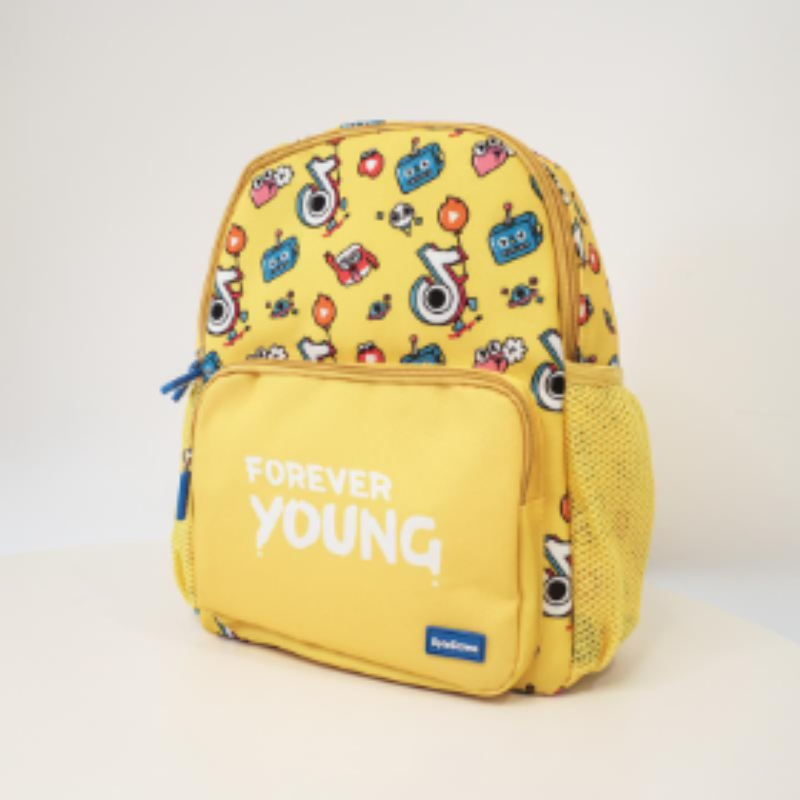
图片中是一个有卡通画像装饰的黄色背包。
Code
import { useState, useCallback, useMemo } from 'react';
import { Chat, type ChatMessage as Message, type ChatRenderAvatarProps as RenderAvatarProps, type ChatRenderTitleProps as RenderTitleProps } from '@fibrous/semi-ai-react';
import { Avatar, Radio, RadioGroup, type RadioChangeEvent } from '@fibrous/semi-ui-react';

const defaultMessage: Message[] = [
    {
        role: 'system',
        id: '1',
        createAt: 1715676751919,
        content: "Hello, I'm your AI assistant.",
    },
    {
        role: 'user',
        id: '2',
        createAt: 1715676751919,
        content: [
            {
                type: 'text',
                text: '这张图片里有什么?',
            },
            {
                type: 'image_url',
                image_url: {
                    url: '/assets/root-web-sites/edit-bag.jpeg',
                },
            },
        ],
    },
    {
        role: 'assistant',
        id: '3',
        createAt: 1715676751919,
        content: '图片中是一个有卡通画像装饰的黄色背包。',
    },
];

const roleInfo = {
    user: {
        name: 'User',
        avatar: '/assets/docs-icon.png',
    },
    assistant: {
        name: 'Assistant',
        avatar: '/assets/placeholder/logo.svg',
    },
    system: {
        name: 'System',
        avatar: '/assets/placeholder/logo.svg',
    },
};

const commonOuterStyle = {
    border: '1px solid var(--semi-color-border)',
    borderRadius: '16px',
    height: 400,
};

let id = 0;
function getId() {
    return `id-${id++}`;
}
const uploadProps = { action: 'https://api.semi.design/upload' };

export default function ChatDemo() {
    const [title, setTitle] = useState('null');
    const [avatar, setAvatar] = useState('null');
    const [message, setMessage] = useState(defaultMessage);

    const onChatsChange = useCallback((chats: Message[]) => {
        setMessage(chats);
    }, []);

    const customRenderAvatar = useMemo(() => {
        switch (avatar) {
            case 'custom':
                return ({ role }: RenderAvatarProps) => {
                    return (
                        <Avatar size="extra-small" shape="square" style={{ flexShrink: '0' }}>
                            {role?.name}
                        </Avatar>
                    );
                };
            case 'null':
                return () => null;
            case 'default':
                return undefined;
        }
    }, [avatar]);

    const customRenderTitle = useMemo(() => {
        switch (title) {
            case 'custom':
                return ({ role, message }: RenderTitleProps) => {
                    const date = new Date(message?.createAt ?? Date.now());
                    const hours = ('0' + date.getHours()).slice(-2);
                    const minutes = ('0' + date.getMinutes()).slice(-2);
                    const formatTime = `${hours}:${minutes}`;
                    return (
                        <span className="title">
                            {role?.name}
                            <span className="time">{formatTime}</span>
                        </span>
                    );
                };
            case 'null':
                return () => null;
            case 'default':
                return undefined;
        }
    }, [title]);

    const onAvatarChange = useCallback((e: RadioChangeEvent) => {
        setAvatar(e.target.value);
    }, []);
    const onTitleChange = useCallback((e: RadioChangeEvent) => {
        setTitle(e.target.value);
    }, []);

    const onMessageSend = useCallback(() => {
        const newAssistantMessage: Message = {
            role: 'assistant',
            id: getId(),
            content: `This is a mock response`,
        };
        setTimeout(() => {
            setMessage((message) => [...message, newAssistantMessage]);
        }, 200);
    }, []);

    return (
        <>
            <span style={{ display: 'flex', flexDirection: 'column', rowGap: 8, marginBottom: 5 }}>
                <span style={{ display: 'flex', alignItems: 'center', columnGap: 10 }}>
                    头像渲染模式
                    <RadioGroup onChange={onAvatarChange} value={avatar} type="button">
                        <Radio value="default">默认头像</Radio>
                        <Radio value="null">无头像</Radio>
                        <Radio value="custom">自定义头像</Radio>
                    </RadioGroup>
                </span>
                <span style={{ display: 'flex', alignItems: 'center', columnGap: 10 }}>
                    标题渲染模式
                    <RadioGroup onChange={onTitleChange} value={title} type="button">
                        <Radio value="default">默认标题</Radio>
                        <Radio value="null">无标题</Radio>
                        <Radio value="custom">自定义标题</Radio>
                    </RadioGroup>
                </span>
            </span>
            <Chat
                chatBoxRenderConfig={{
                    renderChatBoxTitle: customRenderTitle,
                    renderChatBoxAvatar: customRenderAvatar,
                }}
                key={`${avatar}${title}`}
                style={commonOuterStyle}
                className="component-chat-demo-custom-render"
                chats={message}
                onChatsChange={onChatsChange}
                onMessageSend={onMessageSend}
                roleConfig={roleInfo}
                uploadProps={uploadProps}
            />
        </>
    );
}
When hovering over a conversation, the conversation action area will be displayed. You can customize the rendering of the action area using renderChatBoxAction.
Hello, I'm your AI assistant.
介绍一下 semi design
Semi Design 是由抖音前端团队和MED产品设计团队设计、开发并维护的设计系统
Code
import React, { useState, useCallback } from 'react';
import { Chat, type ChatMessage as Message, type ChatRenderActionProps as RenderActionProps } from '@fibrous/semi-ai-react';
import { IconForward, IconMoreStroked } from '@fibrous/semi-icons-react';
import { Dropdown, Button } from '@fibrous/semi-ui-react';

const defaultMessage: Message[] = [
    {
        role: 'system',
        id: '1',
        createAt: 1715676751919,
        content: "Hello, I'm your AI assistant.",
    },
    {
        role: 'user',
        id: '2',
        createAt: 1715676751919,
        content: '介绍一下 semi design',
    },
    {
        role: 'assistant',
        id: '3',
        createAt: 1715676751919,
        content: 'Semi Design 是由抖音前端团队和MED产品设计团队设计、开发并维护的设计系统',
    },
];

const roleInfo = {
    user: {
        name: 'User',
        avatar: '/assets/docs-icon.png',
    },
    assistant: {
        name: 'Assistant',
        avatar: '/assets/placeholder/logo.svg',
    },
    system: {
        name: 'System',
        avatar: '/assets/placeholder/logo.svg',
    },
};

const commonOuterStyle = {
    border: '1px solid var(--semi-color-border)',
    borderRadius: '16px',
    height: 400,
};

let id = 0;
function getId() {
    return `id-${id++}`;
}
const uploadProps = { action: 'https://api.semi.design/upload' };

const CustomActions = React.memo(({ defaultActions, className }: RenderActionProps) => {
    return (
        <span className={className}>
            {defaultActions}

            <Dropdown
                key="dropdown"
                render={
                    <Dropdown.Menu>
                        <Dropdown.Item icon={<IconForward />}>分享</Dropdown.Item>
                    </Dropdown.Menu>
                }
                trigger="click"
                position="top"
            >
                <Button className="semi-chat-chatBox-action-btn" aria-label="更多" icon={<IconMoreStroked />} theme="borderless" type="tertiary" />
            </Dropdown>
        </span>
    );
});

export default function ChatDemo() {
    const [message, setMessage] = useState(defaultMessage);

    const customRenderAction = useCallback((props: RenderActionProps) => {
        return <CustomActions {...props} />;
    }, []);

    const onChatsChange = useCallback((chats: Message[]) => {
        setMessage(chats);
    }, []);

    const onMessageSend = useCallback(() => {
        const newAssistantMessage: Message = {
            role: 'assistant',
            id: getId(),
            content: `This is a mock response`,
        };
        setTimeout(() => {
            setMessage((message) => [...message, newAssistantMessage]);
        }, 200);
    }, []);

    return (
        <Chat
            chatBoxRenderConfig={{
                renderChatBoxAction: customRenderAction,
            }}
            style={commonOuterStyle}
            chats={message}
            onChatsChange={onChatsChange}
            onMessageSend={onMessageSend}
            roleConfig={roleInfo}
            uploadProps={uploadProps}
        />
    );
}
You can customize the content area using renderChatBoxContent.
Code
import { useState, useCallback } from 'react';
import { Chat, type ChatMessage as Message, type ChatRenderContentProps as RenderContentProps } from '@fibrous/semi-ai-react';
import { IconChevronUp } from '@fibrous/semi-icons-react';
import { MarkdownRender, AvatarGroup, Avatar } from '@fibrous/semi-ui-react';

interface Source {
    avatar: string;
    url: string;
    title: string;
    subTitle: string;
    content: string;
}

const defaultMessage: Message[] = [
    {
        role: 'assistant',
        id: '3',
        createAt: 1715676751919,
        content: 'Semi Design 是由抖音前端团队,MED 产品设计团队设计、开发并维护的设计系统。它作为全面、易用、优质的现代应用 UI 解决方案,从字节跳动各业务线的复杂场景提炼而来,支撑近千计平台产品,服务内外部 10 万+ 用户。',
        source: [
            {
                avatar: '/assets/placeholder/logo.svg',
                url: '/zh-CN/start/introduction',
                title: 'semi Design',
                subTitle: 'Semi design website',
                content: 'Semi Design 是由抖音前端团队,MED 产品设计团队设计、开发并维护的设计系统。',
            },
            {
                avatar: '/assets/placeholder/logo.svg',
                url: '/dsm/landing',
                subTitle: 'Semi DSM website',
                title: 'Semi 设计系统',
                content: '从 Semi Design,到 Any Design 快速定义你的设计系统,并应用在设计稿和代码中',
            },
            {
                avatar: '/assets/placeholder/logo.svg',
                url: '/code/zh-CN/start/introduction',
                subTitle: 'Semi D2C website',
                title: '设计稿转代码',
                content: 'Semi 设计稿转代码(Semi Design to Code,或简称 Semi D2C),是由抖音前端 Semi Design 团队推出的全新的提效工具',
            },
        ],
    },
];

const roleInfo = {
    user: {
        name: 'User',
        avatar: '/assets/docs-icon.png',
    },
    assistant: {
        name: 'Assistant',
        avatar: '/assets/placeholder/logo.svg',
    },
    system: {
        name: 'System',
        avatar: '/assets/placeholder/logo.svg',
    },
};

const commonOuterStyle = {
    border: '1px solid var(--semi-color-border)',
    borderRadius: '16px',
    height: 500,
};

let id = 0;
function getId() {
    return `id-${id++}`;
}
const uploadProps = { action: 'https://api.semi.design/upload' };

const SourceCard = ({ source }: { source: Source[] }) => {
    const [open, setOpen] = useState(true);
    const onOpen = useCallback(() => {
        setOpen(false);
    }, []);

    const onClose = useCallback(() => {
        setOpen(true);
    }, []);

    return (
        <div
            style={{
                transition: open ? 'height 0.4s ease, width 0.4s ease' : 'height 0.4s ease',
                height: open ? '30px' : '200px',
                width: open ? '190px' : '100%',
                background: 'var(--semi-color-tertiary-light-hover)',
                borderRadius: 16,
                boxSizing: 'border-box',
                marginBottom: 10,
            }}
        >
            <button
                type="button"
                style={{
                    display: !open ? 'none' : 'flex',
                    width: 'fit-content',
                    columnGap: 10,
                    border: 'none',
                    background: 'var(--semi-color-tertiary-light-hover)',
                    borderRadius: '16px',
                    padding: '5px 10px',
                    cursor: 'pointer',
                    fontFamily: 'inherit',
                    fontSize: 14,
                    lineHeight: 'inherit',
                    color: 'var(--semi-color-text-1)',
                }}
                onClick={onOpen}
            >
                <span>基于{source.length}个搜索来源</span>
                <AvatarGroup size="extra-extra-small">
                    {source.map((s, index) => (
                        <Avatar key={index} src={s.avatar} alt="" />
                    ))}
                </AvatarGroup>
            </button>
            <button
                type="button"
                style={{
                    width: '100%',
                    height: '100%',
                    boxSizing: 'border-box',
                    display: !open ? 'flex' : 'none',
                    flexDirection: 'column',
                    border: 'none',
                    background: 'var(--semi-color-tertiary-light-hover)',
                    borderRadius: '16px',
                    padding: 12,
                    textAlign: 'left',
                    fontFamily: 'inherit',
                    fontSize: 'inherit',
                    lineHeight: 'inherit',
                    color: 'inherit',
                }}
                onClick={onClose}
            >
                <span
                    style={{
                        display: 'flex',
                        alignItems: 'center',
                        justifyContent: 'space-between',
                        padding: '5px 10px',
                        columnGap: 10,
                        color: 'var(--semi-color-text-1)',
                    }}
                >
                    <span style={{ fontSize: 14, fontWeight: 500 }}>Source</span>
                    <IconChevronUp />
                </span>
                <span style={{ display: 'flex', flexWrap: 'wrap', gap: 10, overflow: 'scroll', padding: '5px 10px' }}>
                    {source.map((s) => (
                        <span
                            key={s.url}
                            style={{
                                display: 'flex',
                                flexDirection: 'column',
                                rowGap: 5,
                                flexBasis: 150,
                                flexGrow: 1,
                                border: '1px solid var(--semi-color-border)',
                                borderRadius: 12,
                                padding: 12,
                                fontSize: 12,
                            }}
                        >
                            <span style={{ display: 'flex', columnGap: 5, alignItems: 'center' }}>
                                <Avatar style={{ width: 16, height: 16, flexShrink: 0 }} shape="square" src={s.avatar} alt="" />
                                <span style={{ color: 'var(--semi-color-text-2)', textOverflow: 'ellipsis' }}>{s.title}</span>
                            </span>
                            <span
                                style={{
                                    color: 'var(--semi-color-primary)',
                                    fontSize: 12,
                                }}
                            >
                                {s.subTitle}
                            </span>
                            <span
                                style={{
                                    display: '-webkit-box',
                                    WebkitBoxOrient: 'vertical',
                                    WebkitLineClamp: '3',
                                    textOverflow: 'ellipsis',
                                    overflow: 'hidden',
                                    color: 'var(--semi-color-text-2)',
                                }}
                            >
                                {s.content}
                            </span>
                        </span>
                    ))}
                </span>
            </button>
        </div>
    );
};

export default function ChatDemo() {
    const [message, setMessage] = useState(defaultMessage);

    const onChatsChange = useCallback((chats: Message[]) => {
        setMessage(chats);
    }, []);

    const onMessageSend = useCallback(() => {
        const newAssistantMessage: Message = {
            role: 'assistant',
            id: getId(),
            content: `This is a mock response`,
        };
        setTimeout(() => {
            setMessage((message) => [...message, newAssistantMessage]);
        }, 200);
    }, []);

    const renderContent = useCallback(({ message, className }: RenderContentProps) => {
        return (
            <div className={className}>
                {message?.source && <SourceCard source={message.source} />}
                <MarkdownRender raw={typeof message?.content === 'string' ? message.content : ''} />
            </div>
        );
    }, []);

    return <Chat style={commonOuterStyle} chats={message} roleConfig={roleInfo} chatBoxRenderConfig={{ renderChatBoxContent: renderContent }} onChatsChange={onChatsChange} onMessageSend={onMessageSend} uploadProps={uploadProps} />;
}
Use renderFullChatBox to custom render the entire chat box
SystemHello, I'm your AI assistant.
介绍一下 semi design
AssistantSemi Design 是由抖音前端团队和MED产品设计团队设计、开发并维护的设计系统
Code
import { useState, useCallback } from 'react';
import { Chat, type ChatMessage as Message, type ChatRenderFullChatBoxProps as RenderFullChatBoxProps } from '@fibrous/semi-ai-react';
import { Avatar } from '@fibrous/semi-ui-react';

const defaultMessage: Message[] = [
    {
        role: 'system',
        id: '1',
        createAt: 1715676751919,
        content: "Hello, I'm your AI assistant.",
    },
    {
        role: 'user',
        id: '2',
        createAt: 1715676751919,
        content: '介绍一下 semi design',
    },
    {
        role: 'assistant',
        id: '3',
        createAt: 1715676751919,
        content: 'Semi Design 是由抖音前端团队和MED产品设计团队设计、开发并维护的设计系统',
    },
];

const roleInfo = {
    user: {
        name: 'User',
        avatar: '/assets/docs-icon.png',
    },
    assistant: {
        name: 'Assistant',
        avatar: '/assets/placeholder/logo.svg',
    },
    system: {
        name: 'System',
        avatar: '/assets/placeholder/logo.svg',
    },
};

const commonOuterStyle = {
    border: '1px solid var(--semi-color-border)',
    borderRadius: '16px',
    height: 400,
};

let id = 0;
function getId() {
    return `id-${id++}`;
}
const uploadProps = { action: 'https://api.semi.design/upload' };

const titleStyle = {
    display: 'flex',
    alignItems: 'center',
    justifyContent: 'center',
    columnGap: '10px',
    padding: '5px 0px',
    width: 'fit-content',
};

export default function ChatDemo() {
    const [message, setMessage] = useState(defaultMessage);

    const customRenderChatBox = useCallback(({ role, message, defaultNodes, className }: RenderFullChatBoxProps) => {
        let titleNode = null;
        if (message?.role !== 'user') {
            titleNode = (
                <span style={titleStyle}>
                    <Avatar size="extra-small" shape="square" src={typeof role?.avatar === 'string' ? role.avatar : undefined} alt="" />
                    {defaultNodes?.title}
                </span>
            );
        }
        return (
            <div className={className}>
                <div
                    style={{
                        display: 'flex',
                        flexDirection: 'column',
                        rowGap: 4,
                        alignItems: message?.role === 'user' ? 'end' : '',
                    }}
                >
                    {titleNode}
                    <div style={{ width: 'fit-content' }}>{defaultNodes?.content}</div>
                    {defaultNodes?.action}
                </div>
            </div>
        );
    }, []);

    const onChatsChange = useCallback((chats: Message[]) => {
        setMessage(chats);
    }, []);

    const onMessageSend = useCallback(() => {
        const newAssistantMessage: Message = {
            role: 'assistant',
            id: getId(),
            content: `This is a mock response`,
        };
        setTimeout(() => {
            setMessage((message) => [...message, newAssistantMessage]);
        }, 200);
    }, []);

    return <Chat chatBoxRenderConfig={{ renderFullChatBox: customRenderChatBox }} style={commonOuterStyle} chats={message} onChatsChange={onChatsChange} onMessageSend={onMessageSend} roleConfig={roleInfo} uploadProps={uploadProps} />;
}
Custom render InputArea
The rendering input box can be customized through renderInputArea, the parameters are as follows
export interface RenderInputAreaProps {
    /* Default node */
    defaultNode?: ReactNode;
    /* If you customize the input box, you need to call it when sending a message. */
    onSend?: (content?: string, attachment?: FileItem[]) => void;
    /* If you customize the clear context button, it needs to be called when you click to clear the context */
    onClear?: (e?: any) => void;
    detailProps: {
        /* clear context button */
        clearContextNode?: ReactNode;
        /* upload button */
        uploadNode?: ReactNode;
        /* text input area */
        inputNode?: ReactNode;
        /* send button */
        sendNode?: ReactNode;
        /* The processing function that triggers the focus of the text input box after clicking */
        onClick?: () => void; // focuses the input
    };
}
Example of detailProps
function CustomInputRender(props) {
    const { detailProps } = props;
    const { clearContextNode, uploadNode, inputNode, sendNode, onClick } = detailProps;

    return (
        <div
            style={{
                margin: '8px 16px',
                display: 'flex',
                flexDirection: 'row',
                alignItems: 'flex-end',
                borderRadius: 16,
                padding: 10,
                border: '1px solid var(--semi-color-border)',
            }}
            onClick={onClick}
        >
            {uploadNode}
            {inputNode}
            {sendNode}
        </div>
    );
}
Other Example:
Hello, I'm your AI assistant.
Code
import { useState, useCallback, useRef, type CSSProperties } from 'react';
import { Chat, type ChatMessage as Message, type ChatRenderInputAreaProps as RenderInputAreaProps } from '@fibrous/semi-ai-react';
import { IconUpload } from '@fibrous/semi-icons-react';
import { Form, Button, type FormApi as BaseFormApi, type FileItem } from '@fibrous/semi-ui-react';

interface InputValues {
    name?: string;
    file?: FileItem[];
}

const defaultMessage: Message[] = [
    {
        role: 'system',
        id: '1',
        createAt: 1715676751919,
        content: "Hello, I'm your AI assistant.",
    },
];

const roleInfo = {
    user: {
        name: 'User',
        avatar: '/assets/docs-icon.png',
    },
    assistant: {
        name: 'Assistant',
        avatar: '/assets/placeholder/logo.svg',
    },
    system: {
        name: 'System',
        avatar: '/assets/placeholder/logo.svg',
    },
};

const commonOuterStyle = {
    border: '1px solid var(--semi-color-border)',
    borderRadius: '16px',
    height: 500,
};

let id = 0;
function getId() {
    return `id-${id++}`;
}
const uploadProps = { action: 'https://api.semi.design/upload' };

const inputStyle: CSSProperties = {
    display: 'flex',
    flexDirection: 'column',
    border: '1px solid var(--semi-color-border)',
    margin: '8px 16px',
    borderRadius: 8,
    padding: 8,
};

function CustomInputRender({ onSend }: RenderInputAreaProps) {
    const api = useRef<BaseFormApi<InputValues> | null>(null);
    const onSubmit = useCallback(() => {
        if (api.current) {
            const values = api.current.getValues();
            if ((values.name && values.name.length !== 0) || (values.file && values.file.length !== 0)) {
                onSend?.(values.name, values.file);
                api.current.reset();
            }
        }
    }, [onSend]);

    return (
        <div style={inputStyle}>
            <Form getFormApi={(formApi) => (api.current = formApi)}>
                <strong>输入信息</strong>
                <Form.Input field="name" label="名称(Input)" style={{ width: 250 }} trigger="blur" />
                <Form.Upload field="file" label="文档" action="https://api.semi.design/upload">
                    <Button icon={<IconUpload />} theme="light">
                        点击上传
                    </Button>
                </Form.Upload>
            </Form>
            <Button style={{ width: 'fit-content' }} onClick={onSubmit}>
                提交
            </Button>
        </div>
    );
}

export default function ChatDemo() {
    const [message, setMessage] = useState(defaultMessage);

    const onChatsChange = useCallback((chats: Message[]) => {
        setMessage(chats);
    }, []);

    const onMessageSend = useCallback(() => {
        const newAssistantMessage: Message = {
            role: 'assistant',
            id: getId(),
            content: `This is a mock response`,
        };
        setTimeout(() => {
            setMessage((message) => [...message, newAssistantMessage]);
        }, 200);
    }, []);

    const renderInputArea = useCallback((props?: RenderInputAreaProps) => {
        return <CustomInputRender {...props} />;
    }, []);

    return <Chat renderInputArea={renderInputArea} style={commonOuterStyle} chats={message} roleConfig={roleInfo} onChatsChange={onChatsChange} onMessageSend={onMessageSend} uploadProps={uploadProps} />;
}
Hint
The prompt area content can be set through hints. After clicking the prompt content, the prompt content will become the new user input content and trigger the onHintClick callback.
Semi Design 是由抖音前端团队和MED产品设计团队设计、开发并维护的设计系统,你可以向我提问任何关于 Semi 的问题。
Code
import { useState, useCallback } from 'react';
import { Chat, type ChatMessage as Message } from '@fibrous/semi-ai-react';

const defaultMessage: Message[] = [
    {
        role: 'assistant',
        id: '1',
        createAt: 1715676751919,
        content: 'Semi Design 是由抖音前端团队和MED产品设计团队设计、开发并维护的设计系统,你可以向我提问任何关于 Semi 的问题。',
    },
];

const hintsExample = ['告诉我更多', 'Semi Design 的组件有哪些?', '我能够通过 DSM 定制自己的主题吗?'];

const roleInfo = {
    user: {
        name: 'User',
        avatar: '/assets/docs-icon.png',
    },
    assistant: {
        name: 'Assistant',
        avatar: '/assets/placeholder/logo.svg',
    },
    system: {
        name: 'System',
        avatar: '/assets/placeholder/logo.svg',
    },
};

const commonOuterStyle = {
    border: '1px solid var(--semi-color-border)',
    borderRadius: '16px',
    height: 400,
};

let id = 0;
function getId() {
    return `id-${id++}`;
}
const uploadProps = { action: 'https://api.semi.design/upload' };

export default function ChatDemo() {
    const [message, setMessage] = useState(defaultMessage);
    const [hints, setHints] = useState(hintsExample);

    const onHintClick = useCallback(() => {
        setHints([]);
    }, []);

    const onMessageSend = useCallback(() => {
        const newAssistantMessage: Message = {
            role: 'assistant',
            id: getId(),
            createAt: Date.now(),
            content: '这是一条 mock 回复信息',
        };
        setTimeout(() => {
            setMessage((message) => [...message, newAssistantMessage]);
        }, 200);
    }, []);

    const onChatsChange = useCallback((chats: Message[]) => {
        setMessage(chats);
    }, []);

    const onClear = useCallback(() => {
        setHints([]);
    }, []);

    return <Chat hints={hints} onHintClick={onHintClick} style={commonOuterStyle} chats={message} roleConfig={roleInfo} onChatsChange={onChatsChange} onMessageSend={onMessageSend} onClear={onClear} uploadProps={uploadProps} />;
}
Custom render Hint
Customize the content of the prompt area through renderHintBox, the parameters are as follows
type renderHintBox = (props: { content: string; index: number; onHintClick: () => void }) => React.ReactNode;Example:
Semi Design 是由抖音前端团队和MED产品设计团队设计、开发并维护的设计系统,你可以向我提问任何关于 Semi 的问题。
Code
import { useState, useCallback, type CSSProperties } from 'react';
import { Chat, type ChatMessage as Message, type ChatProps } from '@fibrous/semi-ai-react';
import { IconArrowRight } from '@fibrous/semi-icons-react';

const defaultMessage: Message[] = [
    {
        role: 'assistant',
        id: '1',
        createAt: 1715676751919,
        content: 'Semi Design 是由抖音前端团队和MED产品设计团队设计、开发并维护的设计系统,你可以向我提问任何关于 Semi 的问题。',
    },
];

const hintsExample = ['告诉我更多', 'Semi Design 的组件有哪些?', '我能够通过 DSM 定制自己的主题吗?'];

const roleInfo = {
    user: {
        name: 'User',
        avatar: '/assets/docs-icon.png',
    },
    assistant: {
        name: 'Assistant',
        avatar: '/assets/placeholder/logo.svg',
    },
    system: {
        name: 'System',
        avatar: '/assets/placeholder/logo.svg',
    },
};

const commonOuterStyle = {
    border: '1px solid var(--semi-color-border)',
    borderRadius: '16px',
    height: 400,
};

let id = 0;
function getId() {
    return `id-${id++}`;
}
const uploadProps = { action: 'https://api.semi.design/upload' };

const commonHintStyle: CSSProperties = {
    border: '1px solid var(--semi-color-border)',
    padding: '10px',
    borderRadius: '10px',
    background: 'none',
    color: 'var( --semi-color-text-1)',
    display: 'flex',
    justifyContent: 'space-between',
    alignItems: 'center',
    textAlign: 'left',
    cursor: 'pointer',
    fontFamily: 'inherit',
    fontSize: '14px',
    lineHeight: 'inherit',
};

export default function ChatDemo() {
    const [message, setMessage] = useState(defaultMessage);
    const [hints, setHints] = useState(hintsExample);

    const onHintClick = useCallback(() => {
        setHints([]);
    }, []);

    const onMessageSend = useCallback(() => {
        const newAssistantMessage: Message = {
            role: 'assistant',
            id: getId(),
            createAt: Date.now(),
            content: '这是一条 mock 回复信息',
        };
        setTimeout(() => {
            setMessage((message) => [...message, newAssistantMessage]);
        }, 200);
        setHints([]);
    }, []);

    const onChatsChange = useCallback((chats: Message[]) => {
        setMessage(chats);
    }, []);

    const renderHintBox = useCallback<NonNullable<ChatProps['renderHintBox']>>(({ content, onHintClick, index }) => {
        return (
            <button type="button" style={commonHintStyle} onClick={onHintClick} key={index}>
                {content}
                <IconArrowRight style={{ marginLeft: 10 }} />
            </button>
        );
    }, []);

    const onClear = useCallback(() => {
        setHints([]);
    }, []);

    return <Chat renderHintBox={renderHintBox} hints={hints} onHintClick={onHintClick} style={commonOuterStyle} chats={message} roleConfig={roleInfo} onChatsChange={onChatsChange} onMessageSend={onMessageSend} onClear={onClear} uploadProps={uploadProps} />;
}
API Reference
Props
| Property | Description | Type | Default |
|---|---|---|---|
| align | Conversation layout: leftRight or leftAlign. | ChatAlign | "leftRight" |
| bottomSlot | Node below the input box. | ReactNode | ReactNode[] | - |
| canSend | Whether the send button is usable. The component normally decides this itself; a given value takes precedence. | boolean | - |
| chatBoxRenderConfig | Custom render functions for parts of the message box; see ChatBoxRenderConfig. | ChatBoxRenderConfig | - |
| chats | The conversation list, controlled; write changes back through onChatsChange. Replace the whole array rather than mutating it in place. | Message[] | - |
| className | Class name of the root element, merged with the component's own class name. | string | - |
| customMarkDownComponents | Custom Markdown renderers keyed by element name, passed to the MarkdownRender of message content. | OriginMarkdownRenderProps['components'] | - |
| enableUpload | Whether uploading is enabled. A boolean controls paste, click and drag upload together; an object sets pasteUpload, clickUpload and dragUpload separately, and unset items are true. When unset, all three uploads are enabled. | boolean | EnableUploadProps | - |
| escapeHtml | Whether to escape HTML tags in user messages, so the Markdown parser does not treat them as HTML and drop their content. Applies to user messages only. | boolean | true |
| hintCls | Class name of the outermost element of the hint area. | string | - |
| hints | The list of hints. Clicking one adds it to the conversation as a new user message and calls onHintClick. | string[] | - |
| hintStyle | Style of the outermost element of the hint area. | React.CSSProperties | - |
| inputBoxCls | Class name of the input box. | string | - |
| inputBoxStyle | Style of the input box. | React.CSSProperties | - |
| markdownRenderProps | Props passed to the MarkdownRender that renders message content; format defaults to md. Chat sets raw and components itself; use customMarkDownComponents for custom renderers. | MarkdownRenderProps | - |
| mode | Conversation mode: bubble, noBubble or userBubble. | ChatMode | "bubble" |
| onChatsChange | Called with the new list when the conversation list changes. | Type(chats: Message[]) => void | - |
| onClear | Called when the context is cleared. | Type() => void | - |
| onHintClick | Called with the hint text when a hint is clicked. | Type(hint: string) => void | - |
| onInputChange | Called when the input text or the attachments change, with inputValue and attachment. | Type(props: { inputValue: string; attachment: FileItem[] }) => void | - |
| onMessageBadFeedback | Called with the message on negative feedback. | Type(message?: Message) => void | - |
| onMessageCopy | Called with the message when it is copied. | Type(message?: Message) => void | - |
| onMessageDelete | Called with the message when it is deleted. | Type(message?: Message) => void | - |
| onMessageGoodFeedback | Called with the message on positive feedback. | Type(message?: Message) => void | - |
| onMessageReset | Called when a message is reset; the argument is null when the resetMessage method triggers it. | Type(message?: Message) => void | - |
| onMessageSend | Called when a message is sent, with the text and the attachments. | Type(content: string, attachment?: FileItem[]) => void | - |
| onStopGenerator | Called with the mouse event when the stop button is clicked. | Type(e: React.MouseEvent) => void | - |
| placeholder | Placeholder of the input box. | string | - |
| ref | Handle of the chat, not a DOM element; it carries the methods listed under Methods. | TypeReact.Ref<ChatHandle> | - |
| renderDivider | Renders the divider shown after the context is cleared, with its message, and returns a node. Called for each divider on every render. | Type(message?: Message) => ReactNode | - |
| renderHintBox | Renders each hint item with content, index and onHintClick, and returns a node. | Type(props: { content: string; index: number; onHintClick: () => void }) => React.ReactNode | - |
| renderInputArea | Renders the input area with defaultNode, onSend, onClear and detailProps, and returns a node. | Type(props?: RenderInputAreaProps) => ReactNode | - |
| roleConfig | Role information, keyed by the message role. avatar is an image URL or a node; color is passed to Avatar. | RoleConfig | - |
| sendHotKey | Send hot key: enter or shift+enter. With enter, Enter sends and Shift + Enter inserts a line break; shift+enter is the reverse. | SendHotKey | "enter" |
| showClearContext | Whether to show the clear context button in the input box. | boolean | false |
| showStopGenerate | Whether to show the stop button while the last message is generating. Sending is disabled meanwhile, and clicking the stop button calls onStopGenerator. | boolean | false |
| style | Style of the root element. | React.CSSProperties | - |
| topSlot | Node above the conversation area. | ReactNode | ReactNode[] | - |
| uploadProps | Props passed to Upload. Chat manages fileList and defaultFileList, and handles onChange itself, so it is not passed to Upload; children replaces the default upload button as the trigger. | TypeOmit<UploadProps, 'fileList' | 'defaultFileList'> | - |
| uploadTipProps | Props of the upload button's Tooltip; content is the tip text. | TooltipProps | - |
Methods
| Method | Description | Type |
|---|---|---|
| clearContext | Clears the context by appending a divider and calls onClear; does nothing when the list already ends with a divider. | Type() => void |
| resetMessage | Resets the last message to an empty loading state and calls onMessageReset with null. | Type() => void |
| scrollToBottom | Scrolls to the bottom; smoothly when animation is true, otherwise jumps. | Type(animation?: boolean) => void |
| sendMessage | Sends a message; without attachment the message content is a string. | Type(content: string, attachment?: FileItem[]) => void |
Other undeclared native attributes (such as data-* and id) fall on the root div element. When the root element has aria-label or aria-labelledby and no role, role="group" is added automatically. The onDragOver, onDragStart and onDragEnd listeners also fall on the root element, and Chat's own drag upload handling runs before the listeners passed by the caller.
RoleConfig
| PROPERTIES | INSTRUCTIONS | TYPE | DEFAULT |
|---|---|---|---|
| user | User information | Metadata | - |
| assistant | Assistant information | Metadata | - |
| system | System information | Metadata | - |
Metadata
| PROPERTIES | INSTRUCTIONS | TYPE | DEFAULT |
|---|---|---|---|
| name | name | string | - |
| avatar | avatar, supports image URL or ReactNode (such as Semi icons) | ReactNode | string | - |
| color | Avatar background color, same as the color parameter of Avatar component, support amber、 blue、 cyan、 green、 grey、 indigo、 light-blue、 light-green、 lime、 orange、 pink、 purple、 red、 teal、 violet、 yellow | AvatarColor | grey |
Message
| PROPERTIES | INSTRUCTIONS | TYPE | DEFAULT |
|---|---|---|---|
| role | role | string | - |
| name | name | string | - |
| id | Uniquely identifies | string | - |
| content | all content | string | Content[] | - |
| parentId | parent Uniquely identifies | string | - |
| createAt | creation time | number | - |
| status | Information status, loading | incomplete | complete | error | string | complete |
Content
| PROPERTIES | INSTRUCTIONS | TYPE | DEFAULT |
|---|---|---|---|
| type | type, support text | image_url | file_url | string | - |
| text | Content data when type is text | string | - |
| image_url | Content data when type is image_url | { url: string } | - |
| file_url | Content data when type is file_url | { url: string; name: string; size: string; type: string } | - |
Accessibility
Keyboard and Focus
- In the input box,
EnterorShift+Entersends the message, as decided bysendHotKey: withenter,Entersends andShift+Enterinserts a line break;shift+enteris the reverse. Shift+Tabin the input box returns to the upload button. The default upload button is a native button:EnterorSpaceopens the file dialog. When an upload tip is set, its text is the description of that button and is shown while the button has focus.- The stop generation button only exists while generating. When generation ends and the button is unmounted, focus that was on it moves to the input box instead of falling to the start of the page.
- Except on the last finished message, the message action bar stays hidden while remaining in the
Taborder, and shows when focus enters one of its buttons. The confirmation opened by the delete button closes withEscand focus returns to the delete button; inside a Modal only the confirmation closes and the Modal stays open. - The message list is a named
role="log"region witharia-busy="true"while the last message is generating, so screen readers announce the reply once it completes rather than chunk by chunk.
Design Token
| Sass variable | Value | Usage |
|---|---|---|
| $radius-chat_chatBox_content | var(--semi-border-radius-large) | 聊天框内容圆角 |
| $radius-chat_inputBox_container | 16px | 输入框容器圆角 |
| $radius-chat_attachment_img | var(--semi-border-radius-medium) | 附件图片圆角 |
| $radius-chat_attachment_file | var(--semi-border-radius-medium) | 附件文件圆角 |
| $radius-chat_hint_item | var(--semi-border-radius-large) | 提示条圆角 |
| $radius-chat_chatBox_content_code | var(--semi-border-radius-large) | 代码块圆角 |
| $radius-chat_chatBox_content_code_topSlot_copy | var(--semi-border-radius-large) | 代码块顶部复制按钮圆角 |
| $radius-chat_dropArea | 16px | 拖拽上传区域圆角 |
| $color-chat_action_content-bg | var(--semi-color-bg-0) | 返回按钮/停止生成内容按钮背景颜色 |
| $color-chat_action_content-border | var(--semi-color-border) | 返回按钮/停止生成按钮描边颜色 |
| $color-chat_divider | var(--semi-color-text-2) | 分割线文字颜色 |
| $color-chat_chatBox_title | var(--semi-color-text-0) | 聊天框标题颜色 |
| $color-chat_chatBox_action_icon | var(--semi-color-text-2) | 聊天框操作区域按钮图标颜色 |
| $color-chat_chatBox_action_icon-hover | var(--semi-color-text-0) | 聊天框操作区域按钮图标hover颜色 |
| $color-chat_chatBox_action-bg-hover | transparent | 聊天框操作区域按钮hover背景颜色 |
| $color-chat_chatBox_content_text | var(--semi-color-text-0) | 聊天框内容文字颜色 |
| $color-chat_chatBox_content_bg | var(--semi-color-fill-0) | 聊天框内容背景颜色 |
| $color-chat_chatBox_content_user-bg | var(--semi-color-primary) | 聊天框内容用户背景颜色 |
| $color-chat_chatBox_content_user-text | var(--semi-color-white) | 聊天框内容用户文字颜色 |
| $color-chat_chatBox_content_error-bg | var(--semi-color-danger-hover) | 聊天框内容错误背景颜色 |
| $color-chat_chatBox_content_error-text | var(--semi-color-white) | 聊天框内容错误文字颜色 |
| $color-chat_inputBottom_clearButton_icon | var(--semi-color-text-2) | 清空按钮图标颜色 |
| $color-chat_inputBottom_uploadButton_icon | var(--semi-color-text-0) | 上传按钮图标颜色 |
| $color-chat_inputBottom_sendButton_icon-disable | var(--semi-color-primary-disabled) | 发送按钮禁用态图标颜色 |
| $color-chat_inputBox_container-border | var(--semi-color-border) | 输入框容器边框颜色 |
| $color-chat_attachment_clear_icon | var(--semi-color-text-2) | 附件清除图标颜色 |
| $color-chat_attachment_file-bg | var(--semi-color-fill-0) | 附件文件背景颜色 |
| $color-chat_attachment_fail | var(--semi-color-danger) | 附件上传失败的提示图标颜色 |
| $color-chat_chatBox_user_attachment_file-bg | var(--semi-color-bg-0) | 用户聊天框附件文件背景颜色 |
| $color-chat_chatBox_other_attachment_file-bg | var(--semi-color-fill-2) | 聊天框附件文件背景颜色 |
| $color-chat_attachment_file_icon | var(--semi-color-text-2) | 附件文件图标颜色 |
| $color-chat_attachment_file_title | var(--semi-color-text-0) | 附件文件标题颜色 |
| $color-chat_attachment_file_metadata_text | var(--semi-color-text-2) | 附件文件元数据文字颜色 |
| $color-chat_hint_item-border | var(--semi-color-border) | 提示条边框颜色 |
| $color-chat_hint_item-bg | transparent | 提示条背景颜色 |
| $color-chat_hint_item-bg-hover | var(--semi-color-fill-0) | 提示条hover背景颜色 |
| $color-chat_hint_content_text | var(--semi-color-text-1) | 提示条文字颜色 |
| $color-chat_hint_icon | var(--semi-color-text-2) | 提示条图标颜色 |
| $color-chat_chatBox_loading-bg | var(--semi-color-text-0) | 聊天内容加载图标圆圈颜色 |
| $color-chat_chatBox_code_topSlot | var(--semi-white) | 代码块顶部字体颜色 |
| $color-chat_chatBox_code_topSlot-bg | var(--semi-grey-4) | 代码块顶部背景色 |
| $color-chat_chatBox_code_topSlot_toCopy-bg-hover | var(--semi-grey-5) | 代码块顶部复制按钮hover背景色 |
| $color-chat_chatBox_code_content | var(--semi-color-bg-0) | 代码块内容背景色 |
| $color-chat_action_content-bg-hover | var(--semi-color-tertiary-light-hover) | 返回按钮/停止生成按钮hover背景颜色 |
| $color-chat_dropArea-bg | rgb(from var(--semi-grey-2) r g b / 0.9) | 拖拽区域文字颜色 |
| $color-chat_dropArea-border | var(--semi-color-border) | 拖拽区域边框颜色 |
| $spacing-chat_paddingY | 12px | chat组件上下内边距 |
| $spacing-chat_container-paddingX | 16px | 消息框水平内边距 |
| $spacing-chat_action_content-bottom | 0 | 返回按钮/停止生成按钮底部边距 |
| $spacing-chat_chatBox-marginY | 8px | 聊天框上下外边距 |
| $spacing-chat_chatBox-columnGap | 12px | 聊天框内容列间距 |
| $spacing-chat_chatBox_action-columnGap | 10px | 聊天框操作区域按钮列间距 |
| $spacing-chat_chatBox_action-marginX | 10px | 聊天框操作区域左右外边距 |
| $spacing-chat_chatBox_action_btn-padding | 0 | 聊天框操作区域按钮内边距 |
| $spacing-chat_chatBox_content-paddingY | 8px | 聊天框内容上下内边距 |
| $spacing-chat_chatBox_content-paddingX | 12px | 聊天框内容左右内边距 |
| $spacing-chat_inputBox-paddingTop | 8px | 输入框顶部内边距 |
| $spacing-chat_inputBox-paddingBottom | 8px | 输入框底部内边距 |
| $spacing-chat_inputBox-paddingX | 16px | 输入框左右内边距 |
| $spacing-chat_inputBox_container-padding | 11px | 输入框容器内边距 |
| $spacing-chat_inputBox_inner-columnGap | 4px | 输入框容器列间距 |
| $spacing-chat_inputBox-marginY | 4px | |
| $spacing-chat_attachment-columnGap | 10px | 附件列间距 |
| $spacing-chat_attachment-RowGap | 5px | 附件行间距 |
| $spacing-chat_attachment-marginX | 12px | 附件左右外边距 |
| $spacing-chat_attachment_clear-top | 8px | 附件清除图标顶部间距 |
| $spacing-chat_attachment_clear-right | 8px | 附件清除图标右内边距 |
| $spacing-chat_attachment_file-columnGap | 5px | 文件附件列间距 |
| $spacing-chat_attachment_file-padding | 5px | 文件附件内边距 |
| $spacing-chat_chatBox_loading_item-gap | 15px | 聊天内容加载图标间距 |
| $spacing-chat_divider-marginY | 12px | 分割线上下外边距 |
| $spacing-chat_chatBox_content_attachment-marginY | 4px | 聊天框内容文件/图片上下外间距 |
| $spacing-chat_chatBox_content_attachment-marginRight | 4px | 聊天框内容文件/图片上下右间距 |
| $spacing-chat_chatBox_content_code_topSlot-paddingX | 5px | 聊天框代码块顶部上下内边距 |
| $spacing-chat_chatBox_content_code_topSlot-paddingY | 8px | 聊天框代码块顶部左右内边距 |
| $spacing-chat_chatBox_content_code_topSlot_copy-columnGap | 5px | 聊天框代码块顶部复制按钮列间距 |
| $spacing-chat_chatBox_content_code_topSlot_copy-padding | 5px | 聊天框代码块顶部复制按钮列间距 |
| $spacing-chat_chatBox_wrap | 8px | 聊天框外层间距 |
| $spacing-chat_hint-rowGap | 10px | 提示条行间距 |
| $spacing-chat_hint-marginY | 12px | 提示条容器上下外边距 |
| $spacing-chat_hint-marginLeft | 34px | 提示条容器左外边距 |
| $spacing-chat_hint_item-marginY | 8px | 提示条上下外边距 |
| $spacing-chat_hint_item-marginX | 12px | 提示条左右外边距 |
| $spacing-chat_hint_item-columnGap | 20px | 提示条内容列间距 |
| $spacing-chat_chatBox_loading-item-marginX | 18px | 聊天内容加载图标中心圆圈左右外边距 |
| $spacing-chat_chatBox_loading-item-marginY | 6px | 聊天内容加载图标中心圆圈上下外边距 |
| $width-chat_backBottom_wrapper | 42px | 返回按钮宽度 |
| $width-chat_action_content-border | 1px | 返回按钮/停止生成按钮描边宽度 |
| $width-chat_inputBottom_clearButton | 48px | 清空按钮宽度 |
| $width-chat_inputBottom_uploadButton | 32px | 上传按钮宽度 |
| $width-chat_inputBottom_sendButton | 32px | 发送按钮宽度 |
| $width-chat_inputBox_container-border | 1px | 输入框容器边框宽度 |
| $width-chat_hint_item-border | 1px | 提示条边框宽度 |
| $width-chat_chatBox_loading | 8px | 加载中单个圆圈图标宽度 |
| $width-chat_attachment_file_title | 90px | 附件文件标题最大宽度 |
| $width-chat_max | 800px | chat组件最大宽度 |
| $width-chat_dropArea-border | 5px | 拖拽上传边框宽度 |
| $width-chat_chatBox_content_code_topSlot_copy | 150px | 聊天框代码块顶部复制按钮最小宽度 |
| $width-chat_chatBox_avatar | 24px | 聊天框头像宽度 |
| $height-chat_action_stop | 42px | 停止生成按钮高度 |
| $font-chat_divider-fontWeight | $font-weight-regular | 分割线字重 |
| $font-chat_divider-fontSize | $font-size-small | 分割线字体大小 |
| $font-chat_chatBox_title-lineHeight | 20px | 聊天框标题行高 |
| $font-chat_chatBox_title-fontSize | $font-size-header-6 | 聊天框标题字体大小 |
| $font-chat_chatBox_title-fontWeight | $font-weight-regular | 聊天框标题字重 |
| $font-chat_inputBottom_clearButton_icon-fontSize | 30px | 输入区清空上下文按钮图标大小 |
| $font-chat_attachment_file_title-fontSize | $font-size-header-6 | 附件文件标题字体大小 |
| $font-chat_attachment_file_metadata-fontSize | $font-size-regular | 附件文件元数据字体大小 |
| $font-chat_hint_content-fontSize | $font-size-regular | 提示条文字大小 |
| $font-chat_chatBox_code_topSlot | 12px | 代码块顶部字体大小 |
| $font-chat_chatBox_code_topSlot-lineHeight | 16px | 代码块顶部区域字体行高 |
| $font-chat_dropArea_text | 48px | 拖拽上传区域文字大小 |
| $z-chat_dropArea | 10 | 拖拽上传区域z-index |
| $z-chat_action | 1 | 返回按钮/停止生成按钮z-index |